
Instagram Audio Downloader
- MP3
- Original Sound
- No Login
Works on iPhone · Android · Windows · Mac
How to Download Audio From Instagram
- Open the Reel or video in Instagram and tap Share > Copy link.
- Paste the link in the box above and tap Download.
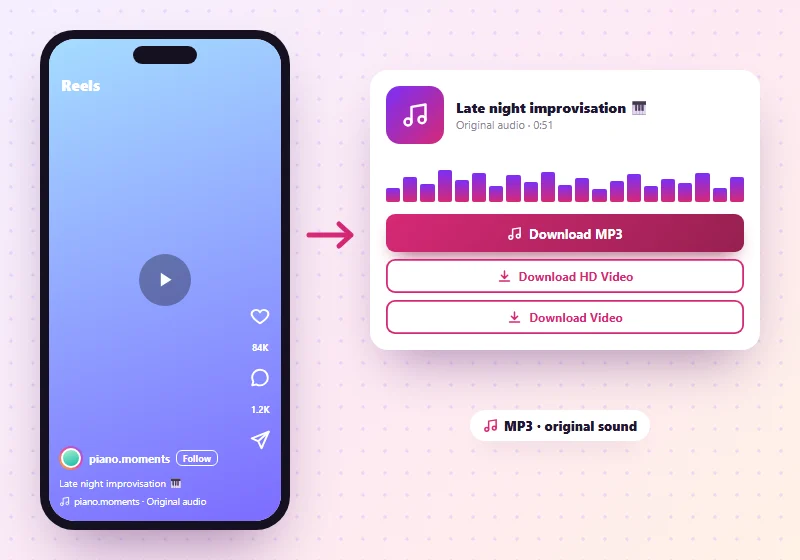
- Tap Download MP3. The sound saves to your device as an MP3 file.
The same result also has buttons for the video itself, if you want both.
Heard a song, voiceover or sound on Instagram that you want to keep? SnapInsta's Instagram audio downloader takes the sound from a public Reel or video and saves it as an MP3. Paste the link above, tap Download, then tap Download MP3.
What Audio Can I Save?
| Source | Supported |
|---|---|
| Reels | Yes |
| Videos in feed posts | Yes |
| IGTV and long videos | Yes |
| Videos inside carousel posts | Save the video with its sound on our photo downloader |
| Photo posts with music | No, the music isn't part of the post file |
| Videos with no sound | No sound to save |
| Private accounts | No |
MP3 Quality
SnapInsta takes the original sound track from Instagram and converts it to MP3 at high quality, so it plays in any music app, car stereo or editing program. The sound is exactly as long as the video. If Instagram muted a song for copyright reasons, there's no sound left to save.
Save Instagram Audio on Any Device
On iPhone
Paste the Reel link in Safari and tap Download MP3. The file saves to Files > Downloads. Open it there to play it, or share it to a music or editing app.
On Android
Use Chrome. After you tap Download MP3, the file appears in Files > Downloads and in music apps that scan your phone, such as YouTube Music or Samsung Music.
On Windows and Mac
Paste the link, click Download MP3, and the file lands in your Downloads folder. It opens in Windows Media Player, VLC, Apple Music or any audio editor.
Which Links Work?
| Link you paste | What you get |
|---|---|
| instagram.com/reel/… | The Reel's sound as MP3 |
| instagram.com/p/… (video post) | The video's sound as MP3 |
| instagram.com/tv/… (IGTV) | The sound as MP3 |
| A photo post | No sound to save |
Find the Name of a Song on a Reel
The name of the song or "Original audio" is shown at the bottom of every Reel. Tap it in the Instagram app to see the artist and other Reels with the same sound. If it's a released song, the best quality version is on music streaming apps, and buying or streaming it supports the artist.
Good Uses for Instagram Audio
- Keep your own voiceovers and original sounds as a backup.
- Listen offline to talks, tips and podcasts posted as Reels.
- Learn a language or a song by replaying the audio.
- Edit your own videos with a sound you recorded.
Music in Reels usually belongs to the artist or label. Use downloaded songs for personal listening only, and don't upload them as your own.
Audio Not Working?
- No MP3 button: the video has no sound, or the music was removed by Instagram.
- The file plays without sound: check that the original Reel has sound when you watch it on Instagram.
- Want the video too? Use our Instagram Reels downloader or the Instagram video downloader.
More Instagram Tools
Instagram Audio Downloader FAQs
How do I convert an Instagram Reel to MP3?
Paste the Reel link into SnapInsta, tap Download and then Download MP3.
Is the Instagram to MP3 converter free?
Yes. It's free, with no sign-up and no limit.
Can I download Instagram music?
You can save the sound of a public Reel or video. Songs belong to their artists, so keep them for personal listening.
Does it work on iPhone?
Yes. Use Safari, and the MP3 saves to the Files app in Downloads.
Can I get audio from a private account?
No. Only public posts work.
Can I save the music from a photo post?
No. Music added to a photo post isn't part of the post file, so there's no sound to save.
How long can the audio be?
As long as the Reel or video. The MP3 has the full sound from start to end.
What's the difference between MP3 and the video's own sound?
It's the same sound. MP3 is simply the most widely supported audio format, so it plays everywhere.