
How to Download Instagram Videos on Android
Android makes it easy to save Instagram videos. Your browser downloads the file straight to your phone, and it shows up in your Gallery. All you need is SnapInsta and the link to a public post.
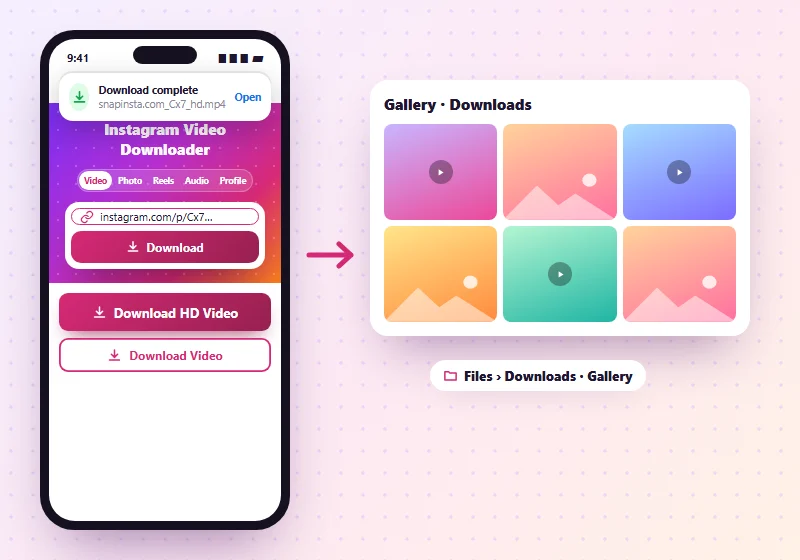
Step 1: Copy the Instagram Link
Open the Instagram app, go to the video or Reel and tap the paper plane icon. Tap Copy link.
Step 2: Paste the Link Into SnapInsta
Open Chrome, Samsung Internet or any browser and go to SnapInsta. Tap the Paste button next to the box, or long-press the box and tap Paste. Then tap Download.
Step 3: Save the Video
Tap Download HD Video or Download Video under the preview. A download notice appears at the bottom of the screen. When it says the download is complete, tap Open to watch it.
Where to Find the Video
| Phone | Where the file goes |
|---|---|
| Most Android phones | Files app > Downloads, and in Gallery or Google Photos |
| Samsung Galaxy | My Files > Downloads, and in the Gallery app |
| Xiaomi, Redmi, POCO | File Manager > Download, and in Gallery |
| Google Pixel | Files by Google > Downloads, and in Google Photos under Library |
If the video doesn't show up in your Gallery right away, wait a few seconds or restart the Gallery app.
Downloading Photos and Carousels
For photo posts, each picture has its own button, and Download All Photos saves them in one ZIP. Open the ZIP in your Files app and tap Extract to see the photos. Our photo downloader explains more.
Problems on Android
The download doesn't start
Check that your browser has permission to save files (Settings > Apps > Chrome > Permissions) and that your phone has free space.
The video plays instead of downloading
Long-press the download button and tap Download link.
"Not available" message
The post may be private or deleted. Check that you can see it while logged out of Instagram.
On an iPhone or a computer? Read the iPhone guide or the PC guide.
Frequently Asked Questions
Do I need an app to download Instagram videos on Android?
No. Your browser is enough.
Can I save Instagram Reels on Android?
Yes. Use the Reels downloader the same way.
Why can't I see the video in my Gallery?
Open the Files app and look in Downloads. Some Gallery apps take a moment to show new files.